
The Ultimate eSIM Guide for Travelers at Miami Airport (MIA)
Quick Questions about eSIM in Miami
- What is an eSIM? It's a digital SIM card. Instead of a physical chip, you install a profile on your phone that allows you to activate a data plan in seconds, directly from your screen.
- Why is it better than MIA's Wi-Fi? MIA's free Wi-Fi has recurring reports of slowness, even in sections where the rest of the airport worked well that same day. With an eSIM, you have your own private data connection from the moment you land.
- Can I buy a physical SIM card at MIA? Yes, stores like InMotion or Tech on the Go sell them, although there are reports of prices that don't always match what's marked.
- Is my phone compatible? Most modern high-end phones (iPhone XS and later, Google Pixel, Samsung Galaxy, etc.) are compatible. It's crucial that your phone is unlocked by your carrier.
- Can I keep my WhatsApp number? Yes. The eSIM is used for data, so you can keep your main SIM card to receive calls and continue using WhatsApp with your usual number without any changes.
Image
AI-generated image
Key Points to Keep in Mind
- Check compatibility before traveling: not all phones support eSIM. Check the official list of compatible devices before you arrive at the airport, not when you're already there.
- Your phone must be unlocked: if you bought it on contract from a carrier, you may not be able to install an eSIM from another provider.
- MIA's Wi-Fi is enough to install the eSIM, but not much more: installation takes a few minutes, so the airport's free Wi-Fi is usually sufficient for that specific step, though not for prolonged use.
- InMotion and Tech on the Go sell physical SIMs at the airport: they are a backup option, but there are reports of inconsistent prices with what's marked — buying before traveling is usually more predictable.
Pros and Cons of eSIM at MIA
- Pros:
- Immediate connectivity: activate the plan as soon as you turn off airplane mode, without lines or searching for stores.
- Keeps your original number: you can continue using WhatsApp and receiving calls with your physical SIM.
- No risk of losing the physical chip: 100% digital installation, without handling trays or small parts.
- Cons:
- Requires compatible and unlocked phone: doesn't work on old models or devices locked to a carrier.
- Needs prior connection to install: you need some Wi-Fi or data to download the profile before you can use it.
- Doesn't replace calls/SMS on its own: it's a data solution — for calls you still depend on your physical SIM or VoIP apps.
What is an eSIM and Why is it Ideal for Travel?
An eSIM (or virtual SIM) is the digital evolution of the traditional SIM card. Instead of handling a small physical chip, you simply install a profile on your phone, allowing you to activate a data plan in seconds.
Key Advantages of an eSIM
- Immediate Connectivity: activate your data plan the moment you turn off airplane mode, without wasting time looking for stores or waiting in lines.
- Simple Installation: installs by scanning a QR code or through an app, without tools or risk of losing your SIM tray.
- Keeps Your Original Number: use the eSIM for affordable data and keep your physical SIM to receive important calls and SMS (Dual SIM functionality).
- Enhanced Security: eliminates the risk of losing or damaging your physical SIM card while traveling.
Requirements to Use an eSIM
Before choosing this technology, make sure your device meets these three essential criteria:
- A Compatible Phone: most recent iPhones (from XS onward), Google Pixel, Samsung Galaxy, and other high-end models support eSIM. It's key to check the official list of compatible devices.
- An Unlocked Phone: your smartphone must not be locked to a specific carrier. If you bought it on contract, you may not be able to install an eSIM from another provider.
- An Internet Connection for Installation: you need Wi-Fi (MIA's usually works for the few minutes it takes to install) or another network to download and install the eSIM profile on your phone.
Practical Use Cases at Miami Airport
Upon Landing at MIA (Arrivals)
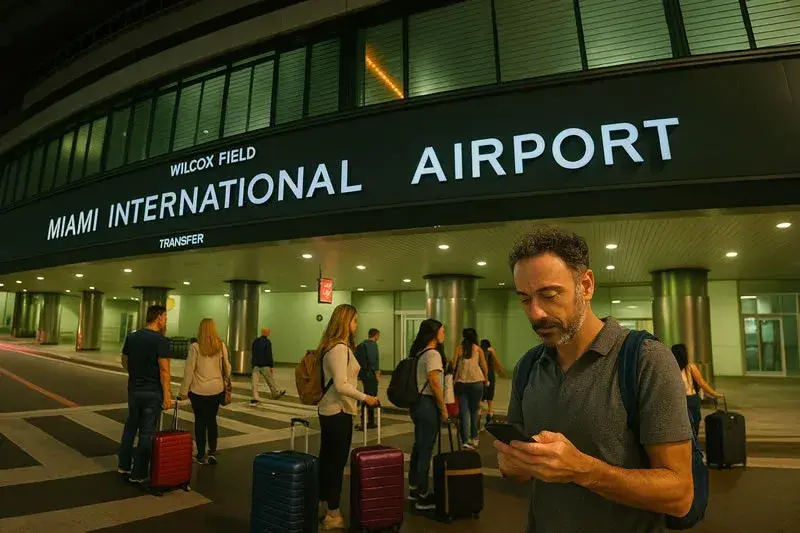
As soon as you turn off airplane mode, you have instant data to navigate the chaos. You can immediately order an Uber or Lyft (pickup areas tend to get chaotic during peak hours, so communication with the driver is key), check maps to get to your hotel, or let people know you've arrived safely without relying on the airport's Wi-Fi.
During a Long Layover
Given that MIA's free Wi-Fi has recurring reports of slowness, an eSIM gives you your own private connection. This allows you to work, watch videos, or stay in touch without interruptions while waiting for your next flight.
Before Taking Off from MIA (Departures)
While waiting at your boarding gate, you can purchase and install the eSIM for your next destination. This way you land already connected, avoiding the search for a local SIM upon arrival.
